

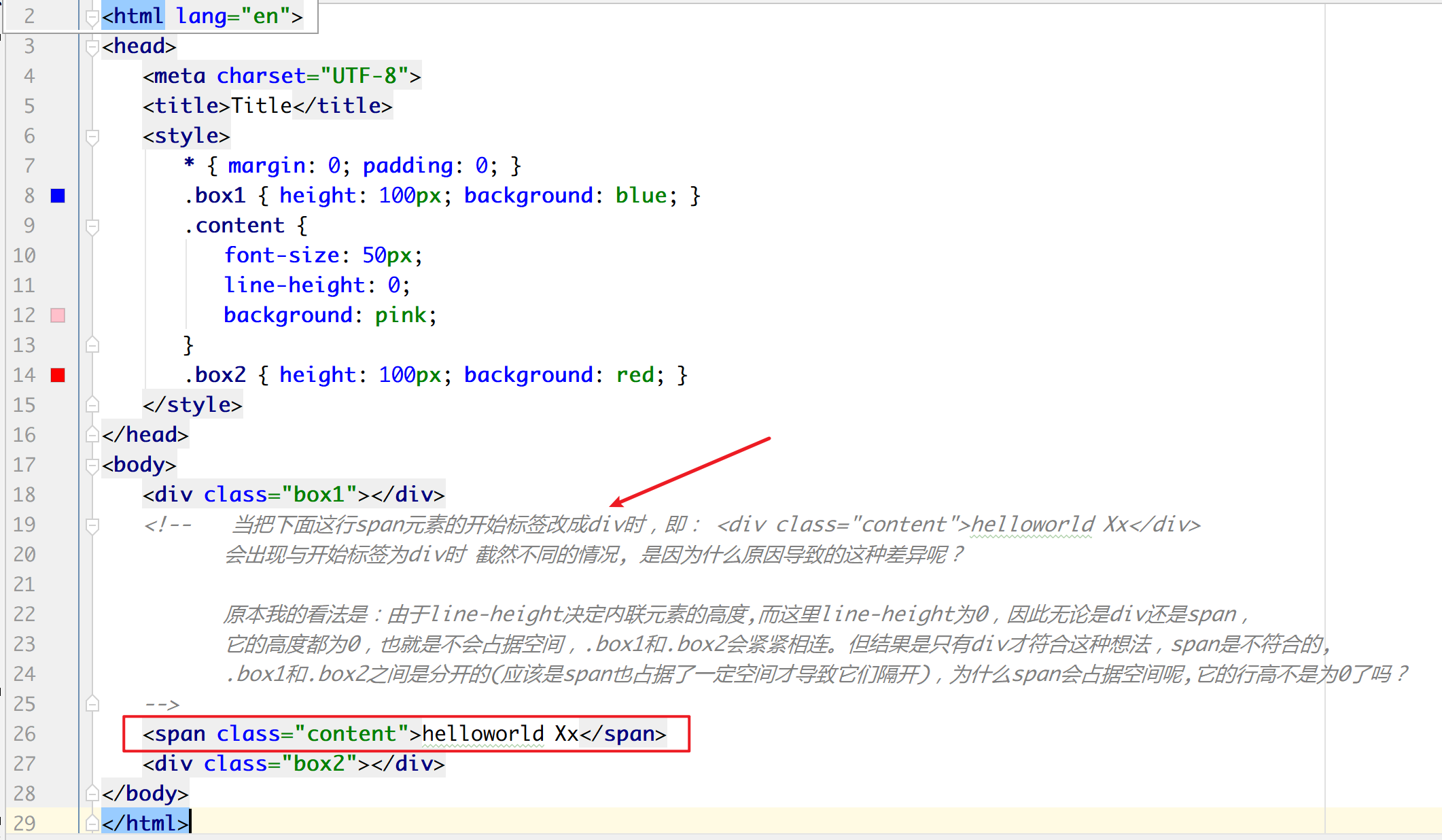
给 span 和 div 设置 line-height 时,为什么会出现这种差异?(如图) 。我以为它们会呈现一样的效果
By manyfreebug at 2020 年 3 月 31 日 · 3241 次点击可以在这里查看两者的运行效果,两者代码基本是一样的,但其中一个标签是 div,另一个是 span
div: https://jsbin.com/cinesiwuyi/edit?html,css,output
span: https://jsbin.com/xikeluzode/edit?html,css,output
第 1 条附言 · 2020 年 3 月 31 日
更新下链接:
   div:  https://jsbin.com/wabamufabi/edit?html,css,output
   span: https://jsbin.com/xikeluzode/edit?html,css,output
3 条回复 • 2020-03-31 23:09:54 +08:00
 |
1
P233 2020 年 3 月 31 日  1 1
div 默认 "display: block"
span 默认"display: inline" 给 span 加一个 "display: block" 两者的表现就一样了 它俩的区别在于 block 与 inline 元素在处理 line-height 小于 font-size 时的方式不同。 |
 |
2
loading 2020 年 3 月 31 日 via Android
审查元素,听说过吗?
|
 |
3
old9 2020 年 3 月 31 日 2
夹在两个 div 之间的 span 会产生一个 anonymous block box 。虽然 span 设置了 line-height:0,但是其所在的这个 anonymous block box 还占据着空间。
这个 box 的属性会继承包裹它的非匿名 box,在你的例子中是 body 。你可以给 body 一个 line-height:0,同时给 .content 一个 vertical-align:top/bottom 来消除这个间隔。 具体原理其实挺复杂,要了解这个间距怎么来的,需要知道 line box,inline box,vertical-align, line-height 等一大堆逻辑,需要去仔细啃啃 spec |
Can I use?
› http://caniuse.com/
Less
› http://lesscss.org
Cool Libraries
› Bootstrap from Twitter
› Jetstrap